Flotherm Ambient Temperature Setting
You may notice that there are different location to set the ambient temperature in Flotherm. In this article we will discuss what the different between them and how to set the proper ambient temperature in Flotherm.
Before ask this question, let's first discuss what is the Ambient temperature means in Flotherm.
Ambient Temperature
As blow picture shows, there is a devices for simulation, while to local inside of the solution domain. The solution domain is much bigger the device size. The ambient temperature means the fluid temperature out of the solution domain. The ambient temperature is also used to calculate heat flow through enclosure walls at the solution domain boundary.
For example, the device heat power is 500W, we want to simulate its temperature at 35C condition. While the device heating surrounding air temperature will higher than 35°C, so the air will rise up from bottom to top, there will be fresh air temperature enter into the solution domain is defined by ambient temperature. Here we can define it as 35°C too.
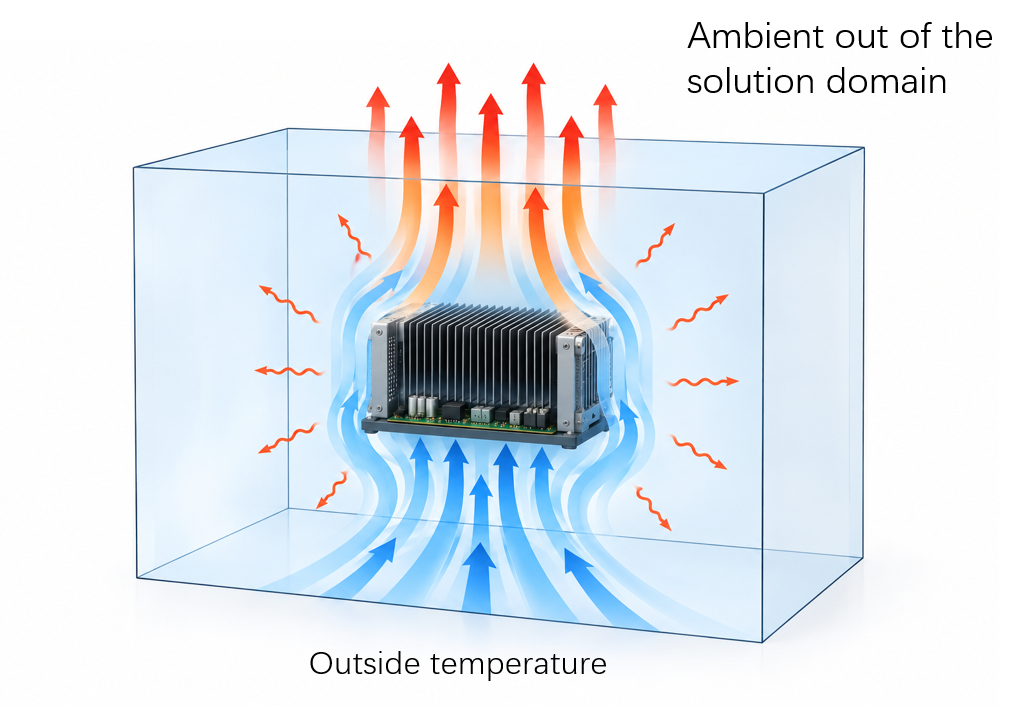
Now you know why it need to define the ambient temperature, and there are two approaches to define it.
- In the Model Setup > Default Ambient Temperature it also can set up the ambient temperature. I call it default ambient.
- In the Model > System > Boundaries > Ambient, it able to set up the ambient. I call it boundary ambient here.
So what are the different between them, and how to use them?
Default Ambient
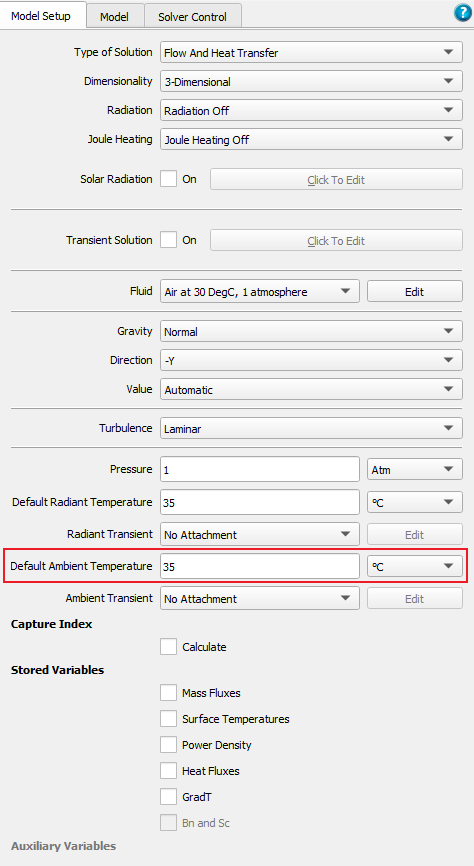
The default ambient temperature setting is simple, just a temperature value. This setting will be used for:
- Fluid temperature at inflow boundaries.
- Provide a reference temperature in the buoyancy force. For example, fluid cell temperature higher than this value will rise, lower than it will sink.
- And the other purpose of it is it provides the initial fields of temperature. It will gives at the beginning of a solver, all of the grid cell the start value for temperature, pressure and velocities.
Boundary Ambient
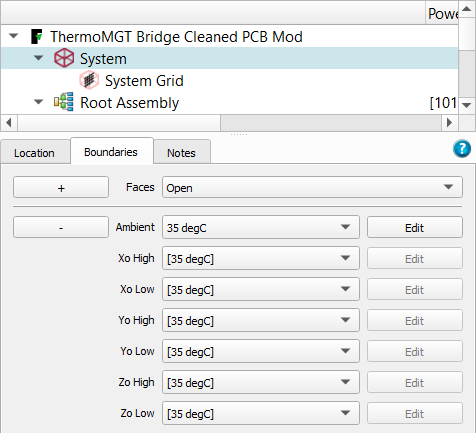
The boundary ambient setting has much more options.
- Can define different ambient for different faces, or all faces with the same ambient.
- If open the ambient define, we can see there are more options. Like Gauge Pressure, Ambient Temperature, Heat Transfer Coefficient, External Velocity...
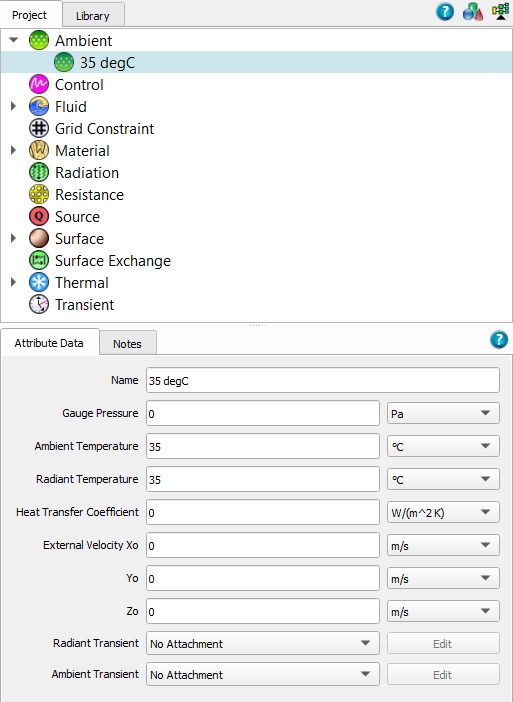
These settings prescribe the boundary conditions of:
- Any air entering the system across an open boundary will be at the temperature set by the ambient attached to that face of the computational domain.
- If a solid wall touches the edge of the solution domain that is defined as open boundary. The heat removed from that surface will be determined by the value of heat transfer coefficient (HTC) that is set under the ambient. For example if the domain size is the same as the enclosure, then the ambient set on domain face defines the heat transfer coefficient on the external surface of enclosure walls.
If a face of the domain is open, but does not have an ambient attached to it, then the user is given a WARN about it. The solver will use the values set under Model Setup>Default Ambient Temperature as the temperature for the air entering through that open face.

Other other hand, if we defined the Boundary Ambient, then it will overwrite the setting of default ambient.
Summary
In Flotherm, ambient temperature represents the fluid temperature outside the solution domain and is used for inflow and boundary heat-transfer calculations.
The default ambient temperature also provides the reference for buoyancy calculations and the initial temperature field.
Boundary ambient settings allow different temperatures, pressures, and heat-transfer coefficients to be assigned to individual domain faces. When both are defined, the boundary ambient settings override the default ambient temperature.